
Table of Contents
With the rapid development of AI photo editing technology, more and more users are paying attention to Nano Banana. Especially in scenarios such as old photo restoration and portrait detail enhancement, Nano Banana has gradually become an important tool for Photoshop users.
So what exactly is Nano Banana, what can Nano Banana Pro do, and how effective is it for old photo restoration?
1、What Is Nano Banana?
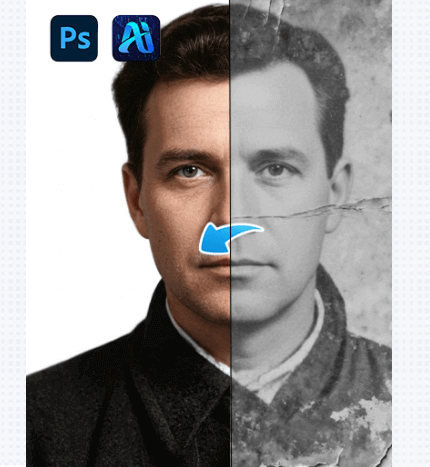
Nano Banana is an AI-based photo editing solution focused on image reconstruction and detail enhancement. It is designed to improve blurred photos, restore damaged old photos, and rebuild facial details in a natural way rather than relying on simple sharpening.
Unlike traditional Photoshop filters, Nano Banana does not simply increase sharpness. Instead, it analyzes image content through AI models and regenerates more reasonable and realistic details based on image structure.
Because of this approach, Nano Banana is widely used in old photo restoration workflows.
2、What Photo Problems Can Nano Banana Solve?
In real-world use, Nano Banana is commonly applied to several types of old photo restoration tasks.
(1)Old Photo Blur Restoration
For old photos with low resolution or poor scan quality, Nano Banana can significantly improve clarity while keeping the image looking natural and balanced.
(2)Portrait Detail Enhancement
When old photos suffer from missing facial details such as blurred eyes, noses, or mouths, Nano Banana rebuilds these features based on facial structure instead of applying aggressive sharpening.
(3)Noise and Scratch Reduction
Common issues in old photos, including noise, grain, and minor scratches, can also be effectively reduced through Nano Banana’s AI restoration process.
3、Old Photo Restoration Case Using Nano Banana Pro
To better demonstrate the real performance of Nano Banana in old photo restoration, the following case shows a complete restoration process using Nano Banana Retouch.
(1)Case Background
The original image is an old photograph with blurred facial features and noticeable grain. When enlarged, details are severely lost, and traditional sharpening methods fail to produce acceptable results. Fully manual restoration would normally require significant time and effort.
(2)Three-Step Old Photo Restoration Process
By using Nano Banana Pro through Nano Banana Retouch, the restoration workflow can be greatly simplified.
① Upload the Image to the Plugin
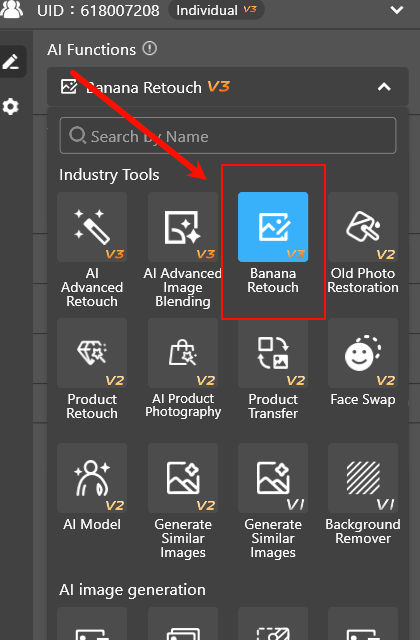
Open the old photo in Photoshop, launch the PsAide plugin, and enter the Nano Banana Retouch interface. Upload the photo that needs to be restored. It is recommended to keep the original image layer for comparison.
② Enter a Text Prompt
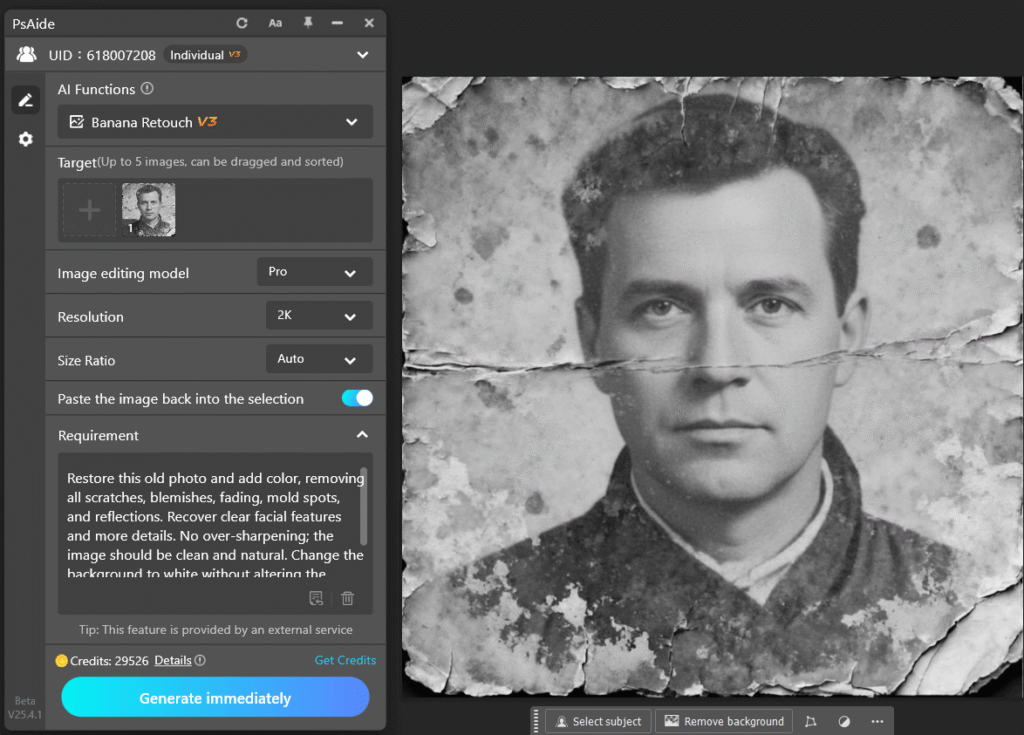
Based on the condition of the photo, enter a prompt describing the restoration goal. For example,
Restore this old photo and add color, removing all scratches, blemishes, fading, mold spots, and reflections. Recover clear facial features and more details. No over-sharpening; the image should be clean and natural. Change the background to white without altering the person’s details, resulting in a high-quality modern photo.
③ Click Generate
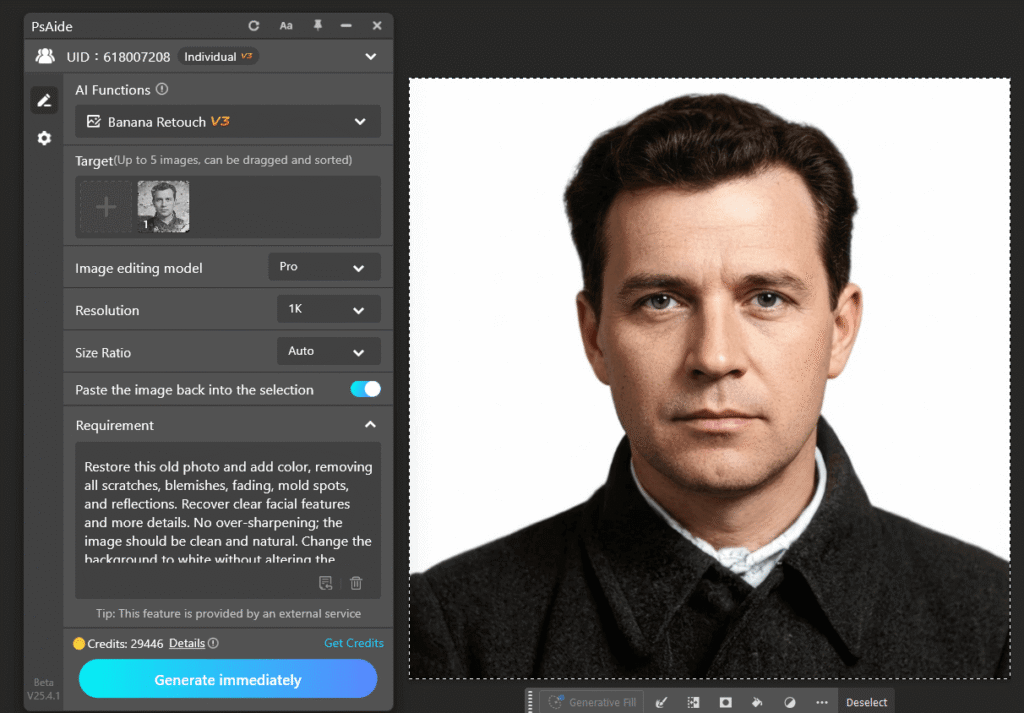
After confirming the settings, click the generate button. Nano Banana Pro processes the image and creates a restored result on a new layer. Further fine adjustments can then be made using standard Photoshop tools.
4、Advantages of Nano Banana for Old Photo Restoration
Compared with traditional old photo restoration methods, Nano Banana offers several clear advantages. It produces more natural-looking results, significantly reduces manual retouching time, and fits seamlessly into professional Photoshop workflows where AI restoration and human refinement work together.
These advantages are the main reasons why Nano Banana is widely adopted for old photo restoration.
5、Who Should Use Nano Banana?
Nano Banana is particularly suitable for Photoshop users who frequently restore old photos, professional retouchers working on portrait restoration, and users who want to improve efficiency with AI while maintaining full creative control.
6、Conclusion
Nano Banana is an AI-powered solution focused on old photo restoration and portrait detail reconstruction. By using Nano Banana Pro together with the Nano Banana Retouch feature in PsAide, Photoshop users can significantly improve restoration efficiency while maintaining professional control and natural-looking results.

Download Link: https://psaide.com/?sfrom=ZfhxUK
Invitation Code: ZfhxUK

