
Table of Contents
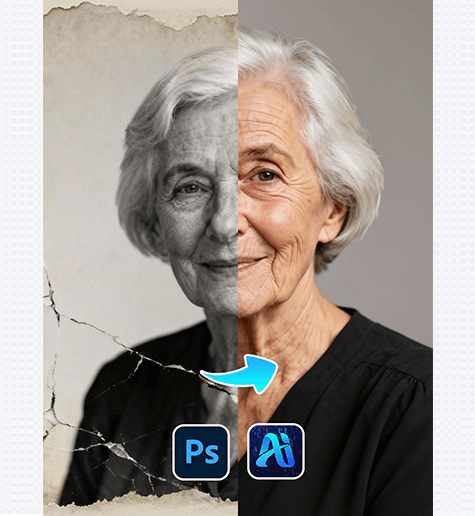
Old Photo Restoration lets you repair faded, damaged, or blurry vintage portraits—restoring clarity, color, and detail without complex manual editing. Here’s how to bring old photos back to life:
1. Pro Tip for Optimal Old Photo Restoration
Before restoring: Scan the old photo at high resolution (300+ DPI) to preserve as much original detail as possible. Avoid cropping the image first—PSAide’s Old Photo Restoration works best with the full, unedited vintage file.
2. Key Benefits of PSAide’s Old Photo Restoration
① Fixes Multiple Flaws at Once: Unlike basic editing tools, PSAide’s Old Photo Restoration addresses fading, scratches, blurriness, and color loss in one step—restoring skin tones, facial features, and background details for a natural, lifelike result.
② Preserves Vintage Character: The tool avoids over-editing—retaining the photo’s original nostalgic vibe while fixing damage .
3. 3-Step Workflow: PSAide Old Photo Restoration
① Import the Vintage Photo: Open your faded/damaged old portrait in Photoshop, then select the Old Photo Restoration function in psaide.
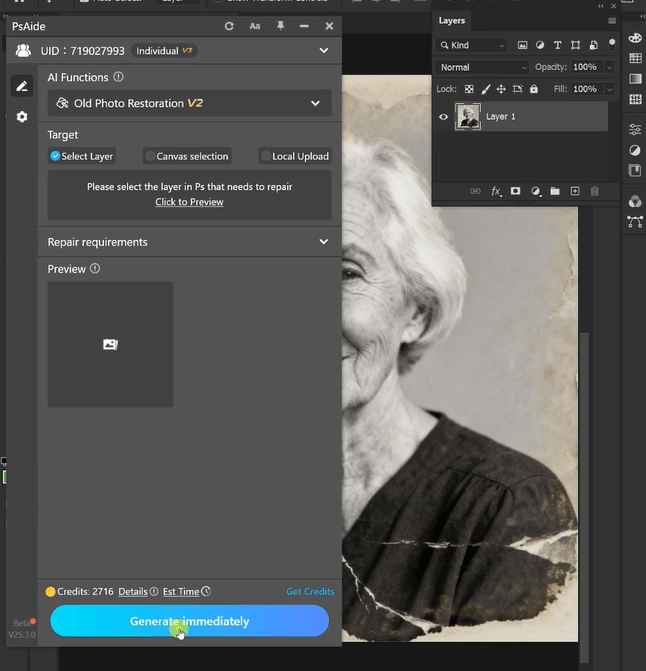
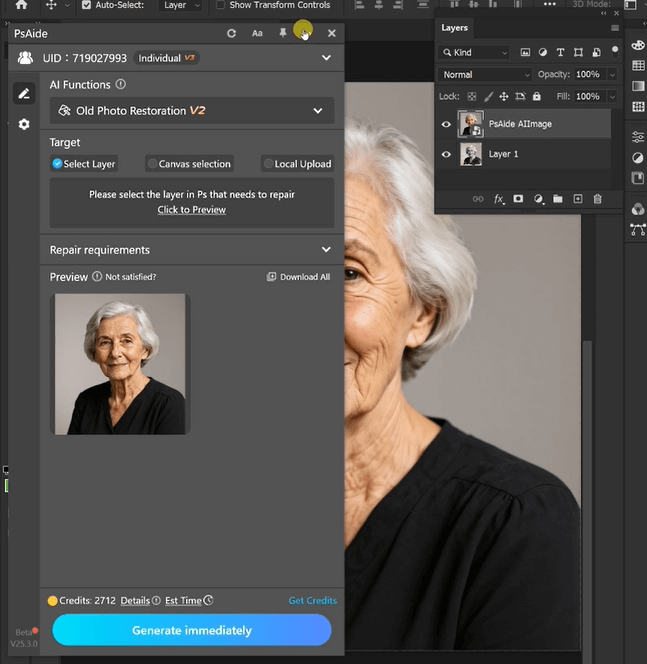
② Finalize: Click “Generate immediately” to start processing. Preview the revived photo .
4. Tool Access & Download

Download Link: https://psaide.com/?sfrom=ZfhxUK
Invitation Code: ZfhxUK

