
Table of Contents
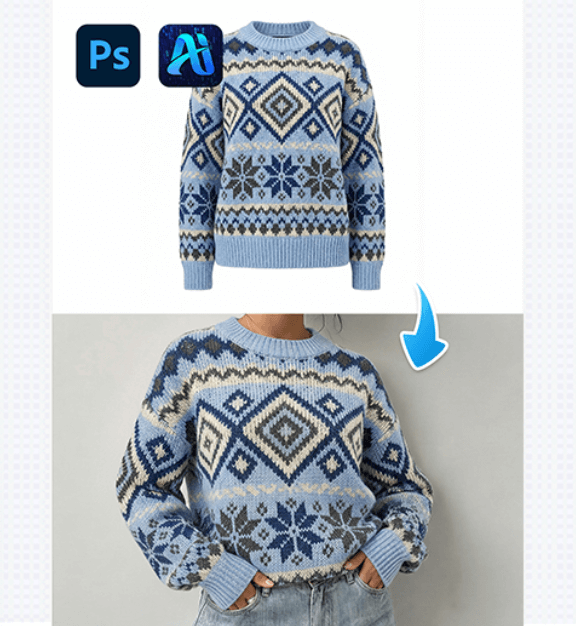
PSAide’s Nano Banana lets you replace a model’s outfit with a new garment—matching the clothing to the model’s pose, fabric texture, and scene for a natural, polished result. Here’s how to refresh a model’s look in minutes:
1. Pro Tip for Seamless Outfit Replacement
Before editing: Use a high-quality image of the target outfit that shows its fabric texture. This helps Nano Banana align the garment with the model’s bodywithout awkward stretching.
2. Key Benefits of Nano Banana for Model Outfit Swaps
① Matches Garment to Model & Scene:
Unlike basic editing tools, Nano Banana analyzes the model’s posture and the outfit’s texture to blend the new sweater with the model’s frame—making it look like they’re actually wearing it.
② Saves Styling & Shooting Time:
Testing multiple outfits on a model used to require hours of styling and re-shooting. With Nano Banana, you can swap looks in 2–3 minutes, perfect for fast fashion mockups.
3. 3-Step Workflow: Nano Banana Model Outfit Replacement
① Import Assets: Open the model’s photo and the target outfit image in Photoshop. Launch the PSAide plugin, then select the Banana Retouch V3 function, then upload both assets as “Target” files
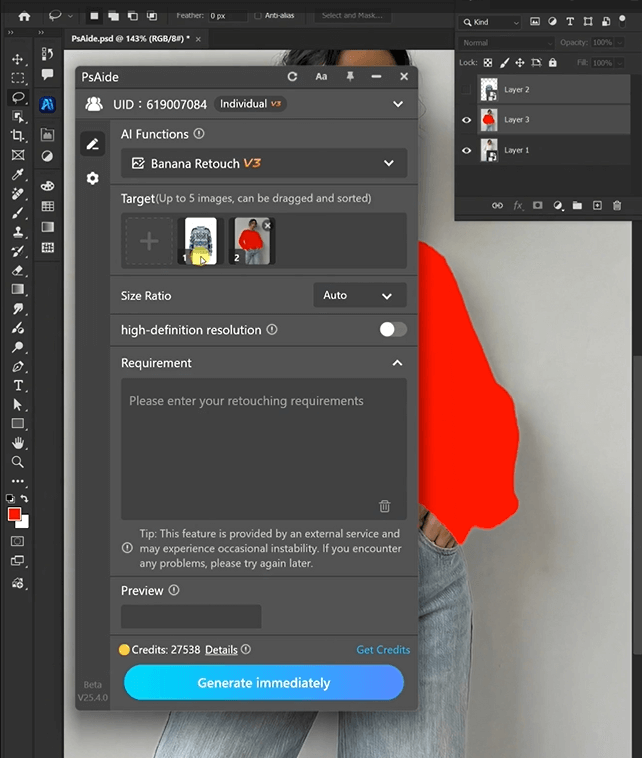
② Define the Outfit Swap: Enter a prompt
“Model from image 2 wearing the outfit from image 1″
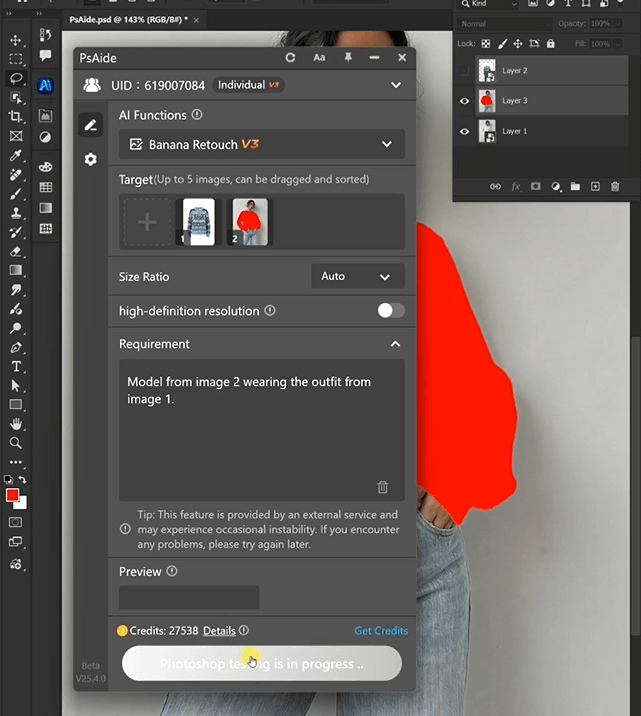
③ Generate & Finalize: Click “Generate immediately” to process.
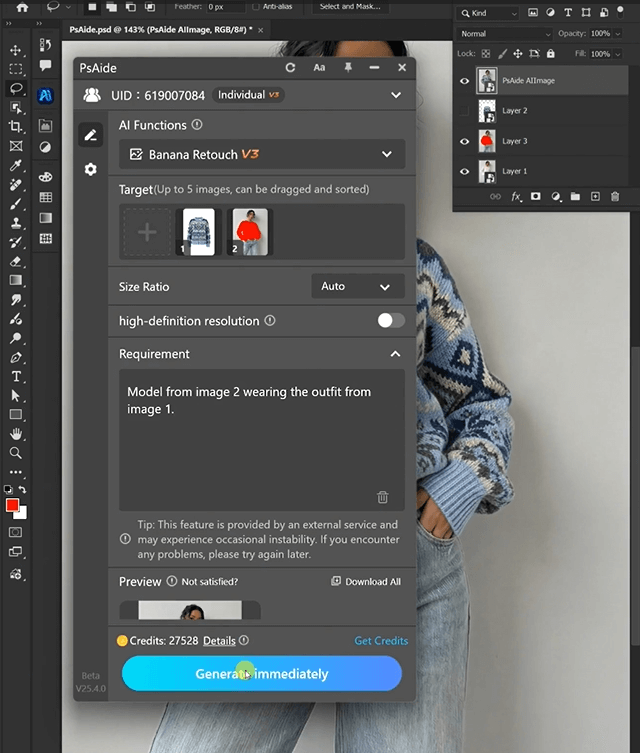
4. Tool Access & Download
Nano Banana is a must-have for fashion creators, marketers, and stylists needing quick, realistic outfit edits.

Download Link: https://psaide.com/?sfrom=ZfhxUK
Invitation Code: ZfhxUK

