
Table of Contents
PSAide’s Nano Banana Pro simplifies fashion styling edits by replacing garments on models—matching the new outfit to the model’s pose, lighting, and scene for a realistic, cohesive look. Here’s how to refresh a model’s wardrobe in minutes:
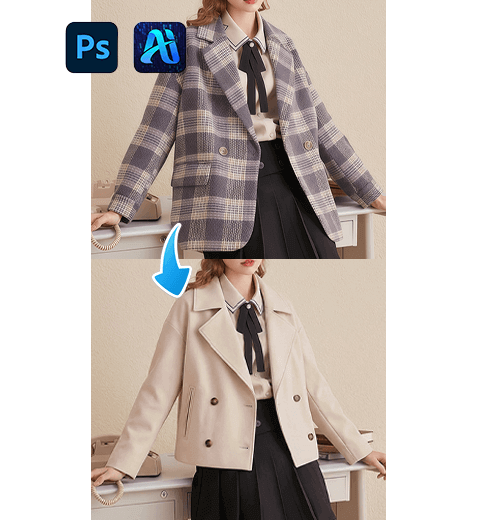
1. Pro Tip for Natural Outfit Replacement
Before editing: Prepare the target garment image with a clear, high-resolution view of its texture and fit. This helps Nano Banana Pro align the new outfit with the model’s body shape without awkward distortions.
2. Key Benefits of Nano Banana Pro for Model Outfit Swaps
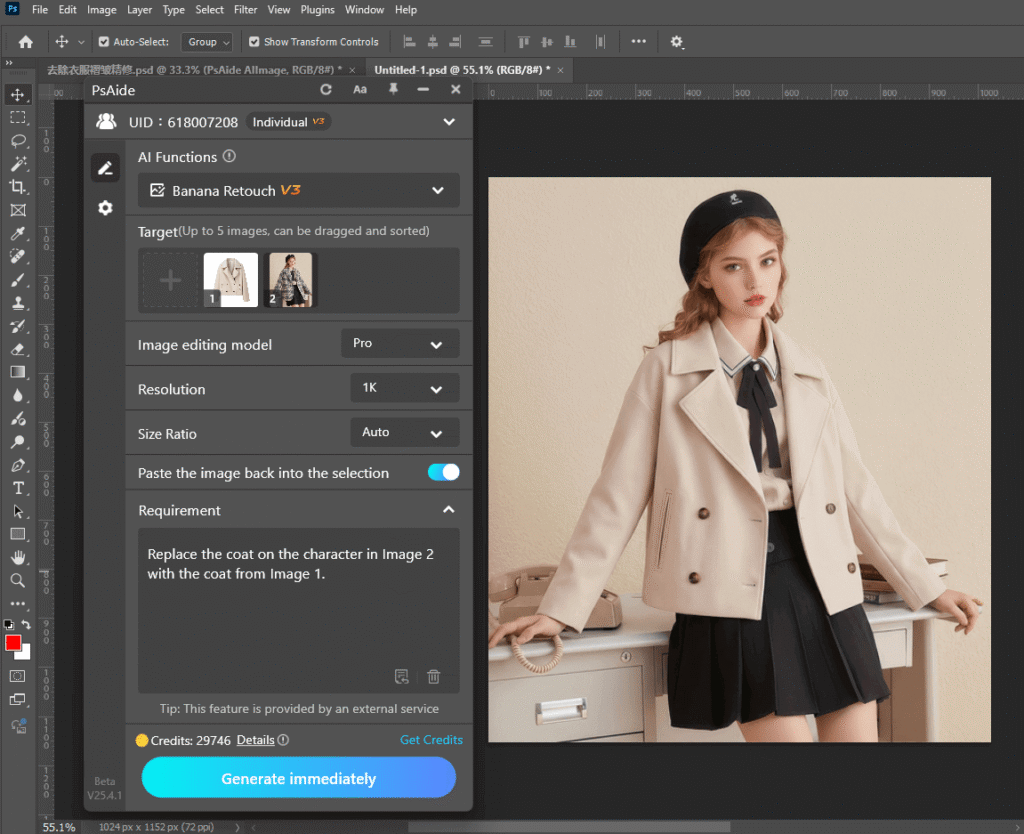
① Matches Pose & Lighting Automatically: Unlike manual pasting, Nano Banana Pro analyzes the model’s posture and the scene’s soft lighting to adjust the new coat—making it look like the model wore it in the original shot.
② Preserves Scene Cohesion: The tool keeps background details and the model’s accessories intact, so the final image feels consistent and unedited.
3. 3-Step Workflow: Nano Banana Pro Model Outfit Replacement
① Import Assets: Open the model’s photo and the target garment image in Photoshop. Launch the PSAide plugin, then select the Banana Retouch function,then upload both assets as “Target” files.
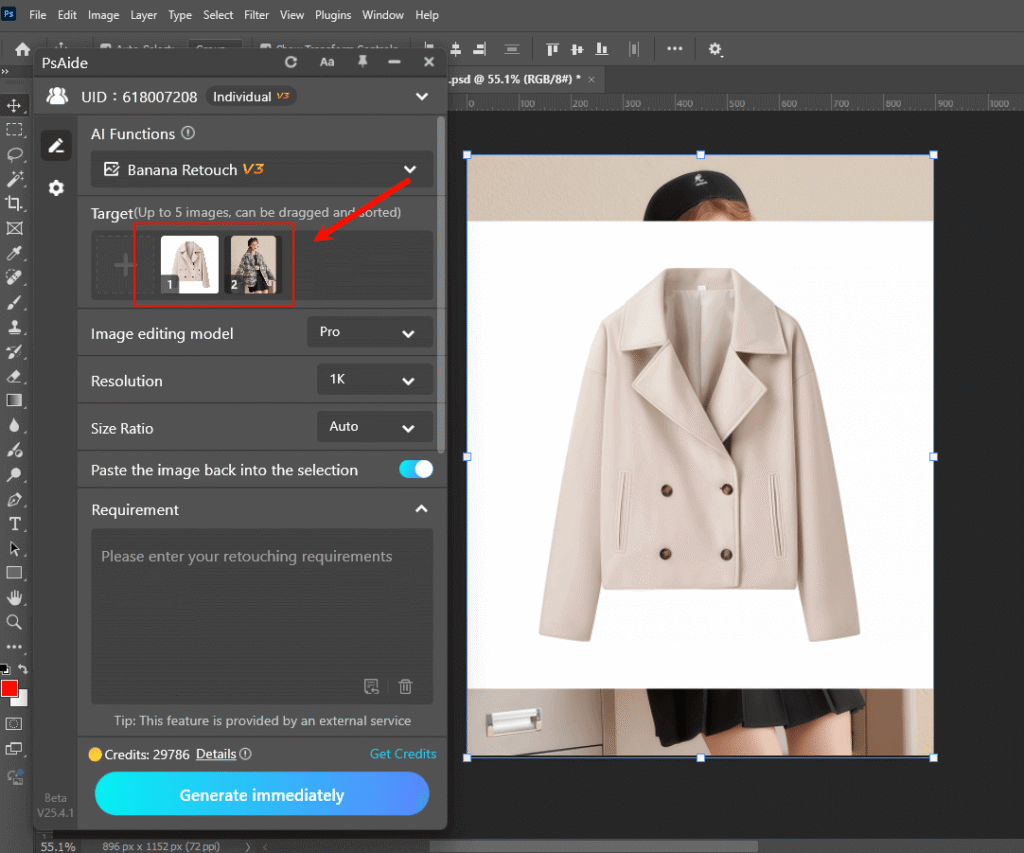
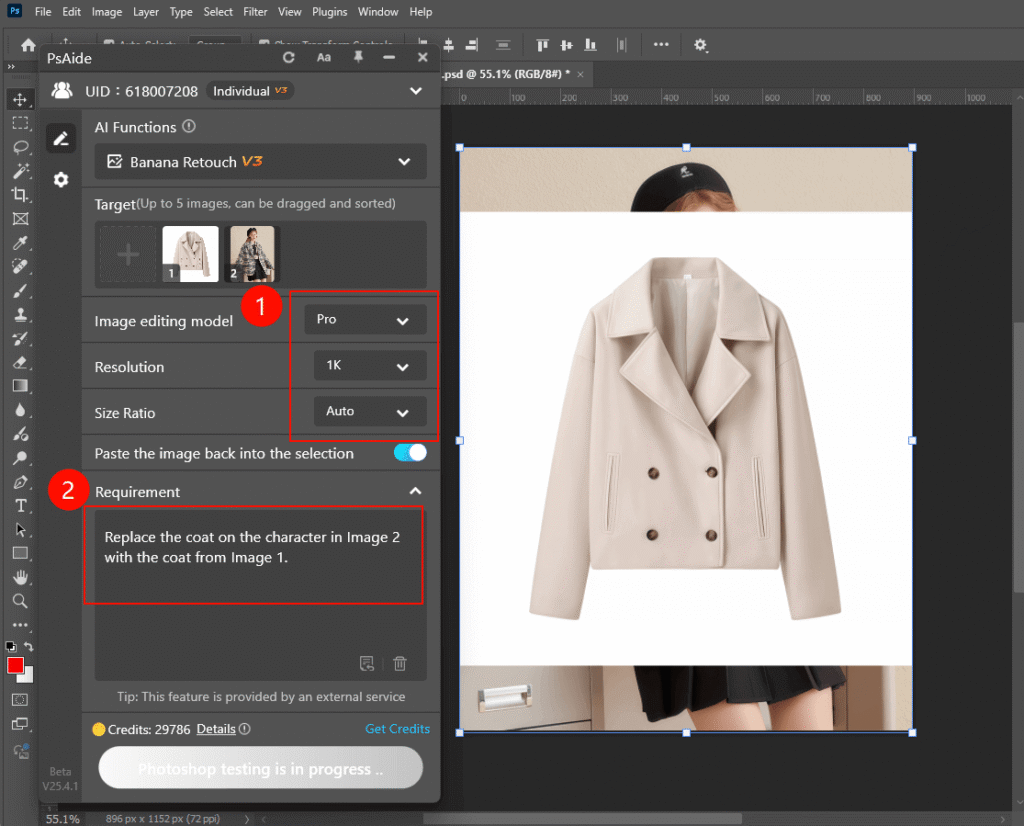
② Define the Outfit Swap: In the PSAide panel, Enter a prompt:
“Replace the coat on the character in Image 2 with the coat from Image 1.”
③ Generate & Finalize: Click “Generate immediately” to process.
4. Tool Access & Download
PSAide’s Nano Banana Pro is a must-have for fashion brands, stylists, and marketers needing fast, realistic outfit edits.

Download Link: https://psaide.com/?sfrom=ZfhxUK
Invitation Code: ZfhxUK
Click here to discover more usage tips and in-depth information on Nano Banana Pro!

