Table of Contents
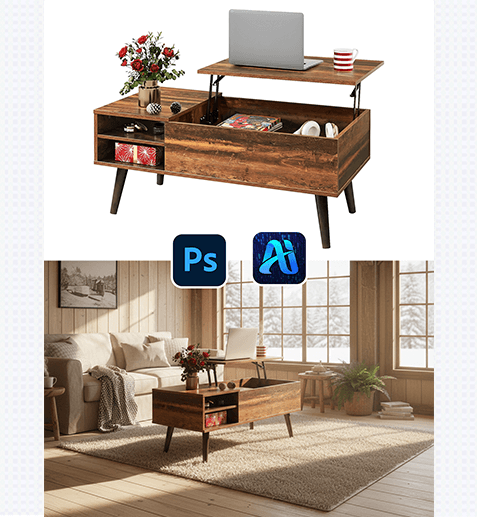
For home e-commerce designers and interior creative professionals, presenting furniture in realistic home backgrounds is key to helping customers visualize products and driving sales. Yet traditional workflows for adding home backgrounds to white-background furniture photos are fraught with pain points: setting up physical home scenes requires high costs for props, space, and photography;
Fortunately, Nano Banana retouching technology, seamlessly integrated with the PSAide Plugin, offers a precise and efficient solution for generating home backgrounds for white-background furniture photos—with “nano banana” at the core of streamlining creative processes.
PS Tutorial Quick Tip
To enhance furniture edge clarity for Nano Banana: Use the Quick Selection Tool + Select and Mask to isolate the furniture from the white background. Set the View Mode to “On White” for better visibility, adjust the Smooth slider to 2-3px and Feather to 0.5px to refine edges, and check “Decontaminate Colors” to remove residual white edges. Duplicate the furniture layer (Ctrl+J) and lock its transparency—this ensures Nano Banana integrates the furniture naturally with the generated home background without edge blurring.
1、Key Advantages of Nano Banana’s Home Background Generation Function
① Cuts Costs and Saves Time
No more physical scene setups! Nano Banana eliminates expenses for props, studio space, and photography teams, reducing a 2-5 day process to just 3-4 minutes—speeding up content iterations and helping meet tight marketing deadlines.
② Superior Realism and Integration
Nano Banana’s advanced algorithm excels at matching furniture to diverse home styles (Scandinavian, industrial, modern minimalist, etc.). It accurately renders background details (wall textures, flooring materials, lighting ambiance) and adjusts the furniture’s shadow, brightness, and contrast to align with the generated scene—avoiding unnatural floating effects or mismatched tones.
③ Preserves Furniture Texture Details
Unlike basic background replacement tools that often blur or distort furniture details, Nano Banana prioritizes preserving the product’s core features. Whether it’s the grain of wood, the sheen of metal, or the texture of fabric upholstery, the tool retains every detail while seamlessly merging the furniture with the home background—ensuring customers get a true sense of the product.
2、PSAide + Nano Banana: 3-Step Workflow for Beginners
① Import and Isolate the Furniture
Import the white-background furniture image into Photoshop.
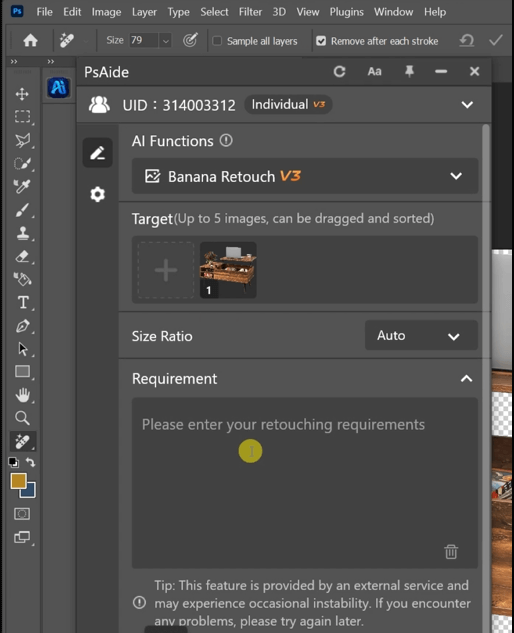
② Input Precise Home Background Prompts
In the PSAide Plugin panel, enter detailed prompts to guide Nano Banana, leveraging “nano banana”’s ability to interpret interior design nuances.
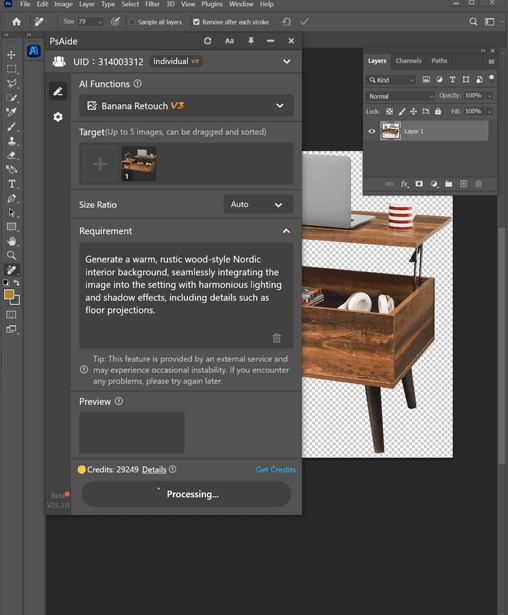
③ Generate and Finalize
Click the “Generate” button. If adjustments are needed ,refine the prompt and regenerate—no advanced PS skills required.
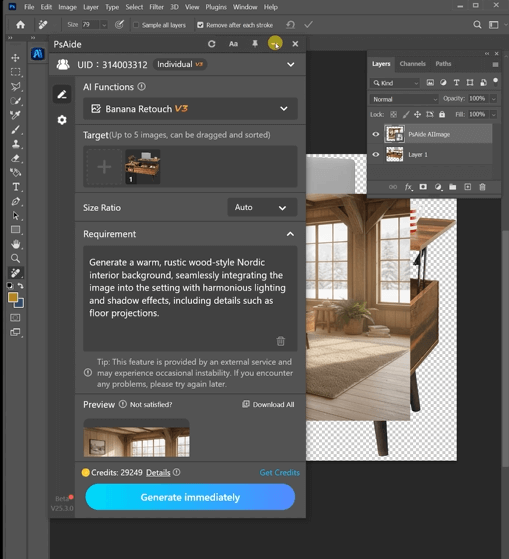
With PSAide’s built-in Nano Banana retouching, designers can skip the tedious and costly traditional home background creation process. By leveraging “nano banana”’s speed, precision, and scene integration capabilities, you can effortlessly create stunning, photorealistic furniture imagery, test multiple home styles, and enhance your home brand’s visual appeal.
Plugin Download Information
Nano Banana + PSAide addresses the core pain points of traditional home background generation: high costs, inefficiency, and unnatural integration. No professional design skills are needed—achieve studio-quality furniture home scenes in 3 simple steps, with perfect texture preservation, seamless integration, and realistic ambiance.

Download Link: https://psaide.com/?sfrom=ZfhxUKInvitation Code: ZfhxUK