Table of Contents
For e-commerce designers and store operators, a main image with strong scene sense and atmosphere can double the click-through rate. However, changing backgrounds with traditional PS is tedious: cutout, light adjustment, shadow creation and detail retouching—any mistake makes the image look fake, failing to meet commercial standards.
Especially for model-based e-commerce images, you need to not only change the background, but also unify lighting, correct poses and remove occlusions. Ordinary retouching takes more than ten minutes, and beginners can hardly achieve natural, seamless results.
Today, we share the Nano Banana retouching function in Psaide. No complex cutout or manual color grading is needed—one click in PS changes the e-commerce main image background, optimizes model expressions, poses and occlusions, and blends lighting naturally. It’s efficient, professional, and solves all pain points of traditional PS background replacement.

1.Pain Points of Changing E-commerce Main Image Background with Native PS
- Slow cutout & stiff edges: Cutting out complex figures, hair or translucent materials with Pen Tool or Quick Selection Tool is slow, and easy to cause white edges, black edges or jagged edges, affecting texture.
- Unified lighting & fake look: After background replacement, the model’s light does not match the new background, looking “pasted” and unrealistic.
- Difficult pose & occlusion correction: Poor model poses or occlusions (e.g., a phone covering the face) are hard to fix with PS, often requiring reshooting—high cost and low efficiency.
- High learning curve: Requires professional skills in masks, curves and blend modes; zero-based designers struggle to create high-quality e-commerce images.
Psaide Nano Banana Pro uses AI intelligent computing to automatically cut out subjects, match lighting, optimize model status, and even correct poses and remove occlusions while changing backgrounds. A high-end e-commerce main image can be generated in seconds.
2.Detailed Steps to Change E-commerce Main Image Background with PS + Nano Banana
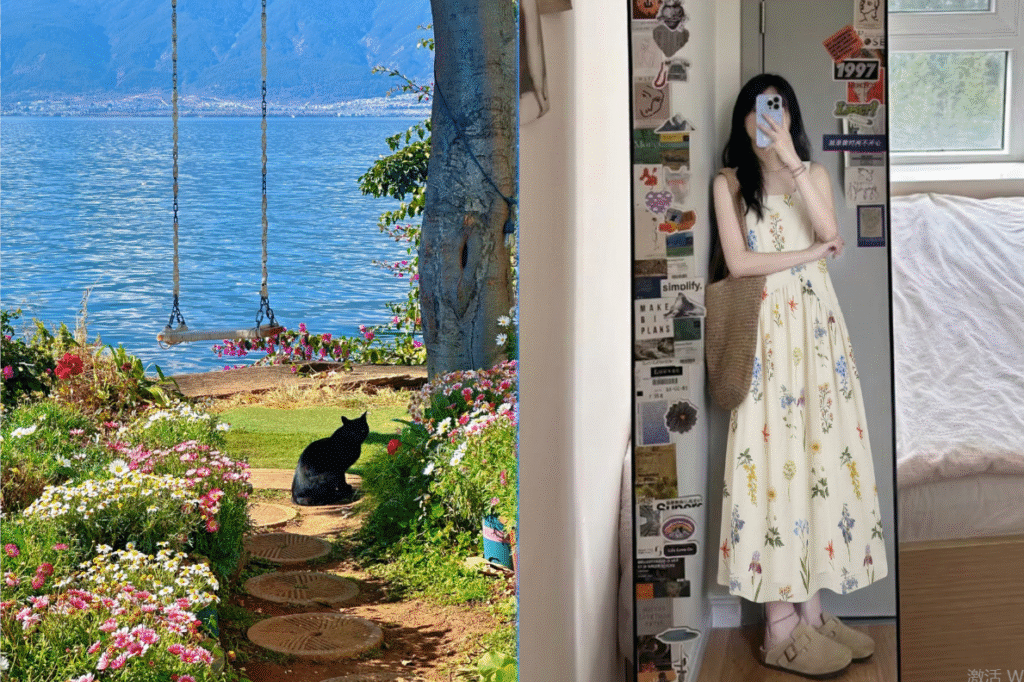
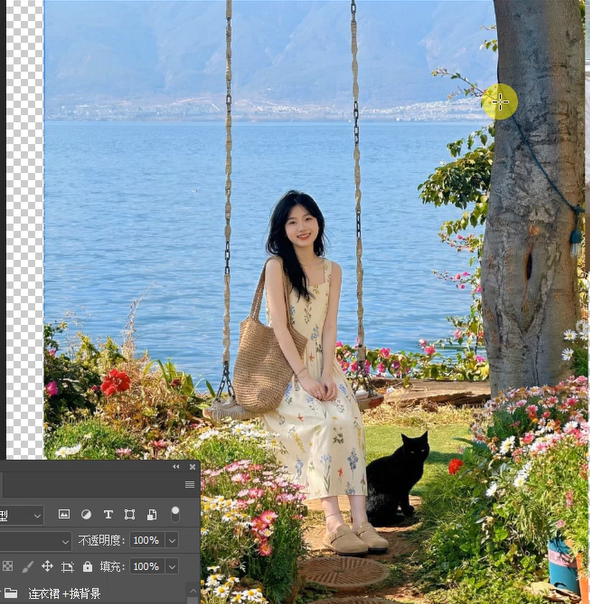
- Prepare materials: Figure 1 (new background image); Figure 2 (e-commerce model image needing background change).
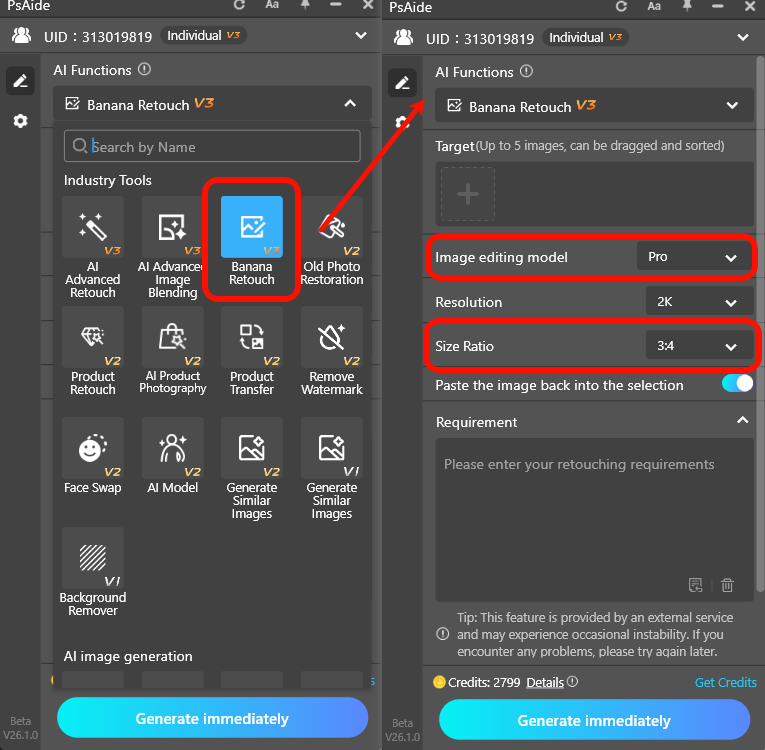
- Open plugin & set parameters: Open both images in PS and launch the Psaide plugin. Find the Nano Banana retouching function and select Pro version for finer results and better stability. Set the generation ratio to 3:4 (the most common ratio for e-commerce main images).
- Upload images: Upload the background image and e-commerce model image to the plugin in sequence.
- Enter prompt (copy and use directly): Make the model in Figure 2 blend naturally into the background in Figure 1 with natural lighting, remove the phone covering the model’s face, and let her sit on a swing with a sweet smile.
- Tips: Modify the prompt freely to specify poses, expressions or atmosphere—AI achieves overall redrawing and optimization, not just simple background replacement.
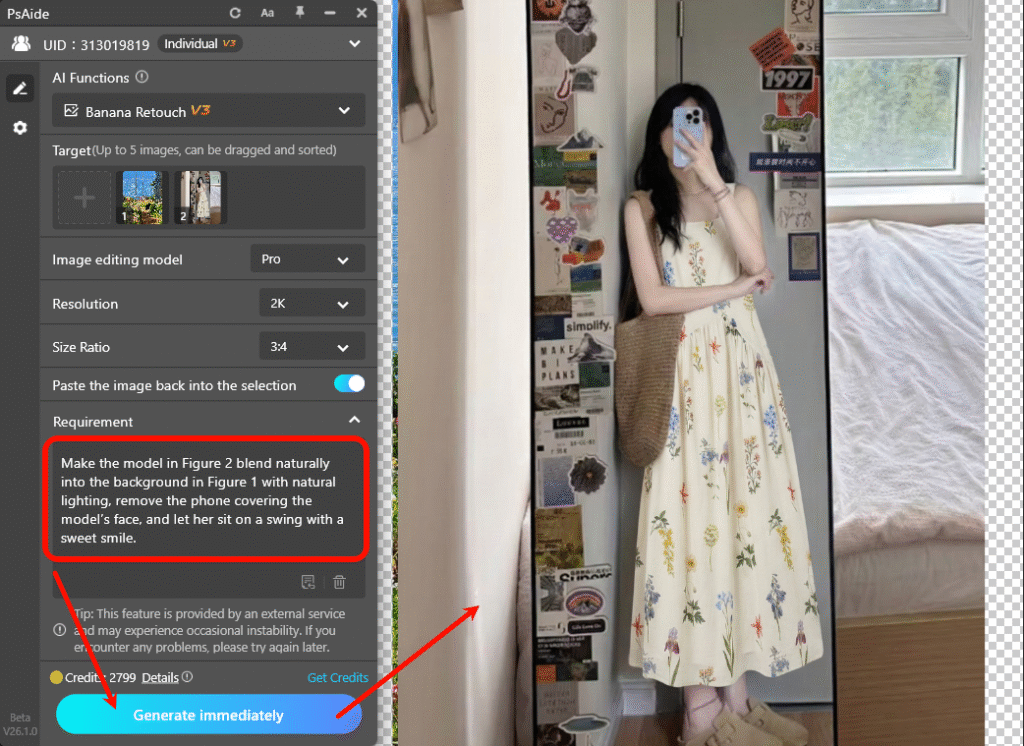
- Click generate: AI will automatically: Accurately recognize and cut out the figure; blend naturally into the new background; unify lighting and tone; modify expressions, poses and remove occlusions as prompted; output high-definition, ready-to-list e-commerce main images. Apply the result toPS and save for use.
3.Common Issues & Solutions for Nano Banana Background Replacement
Issue 3: Flawed, unclean figure edges; Cause: Pro version not used or blurry original image. Solution: Switch to Nano Banana Pro version; re-generate with high-definition, well-lit original images.
Issue 1: Unnatural background blending & light disharmony; Cause: Prompt does not emphasize lighting, or light difference between background and original image is too large.Solution: Add to prompt: unified lighting, environmental integration, real shadows, consistent tone; choose background images with similar light style.
Issue 2: Model pose/expression not as required; Cause: Vague prompt description. Solution: Describe poses, expressions and actions in detail (e.g., front sitting posture, smiling at the camera, hands placed naturally).
Download link

https://psaide.com/?sfrom=A86R4u
Invitation Code: A86R4u